
Who it’s for: teams that need to keep a record of pending work on a customer (“call to confirm the visit”, “complaint about a delay”) without depending on one specific person’s memory.
What the end customer sees
Section titled “What the end customer sees”This use case is purely internal: a ticket never generates any message or notification toward the end customer, it’s an organizational tool for your own team. The only thing a customer might notice is that your team follows up on their case more consistently.
Don’t confuse this with Support tickets: those are the channel for asking your provider’s team for help when something on the platform breaks or you have a configuration question, and they’re visible only to the Admin role.
Steps in the product
Section titled “Steps in the product”-
Create a ticket from the Tickets screen itself if the case doesn’t come from any lead or conversation: press ”+ New ticket”, search for and select the contact (required here, since there’s nothing to infer it from), write the subject and, optionally, assign it to a teammate and add an initial comment.
-
Or create it straight from a lead or a conversation. In the Tickets section of the lead’s drawer, or in the inbox’s right-hand panel, press “Create ticket” — it’s automatically linked to the lead, the conversation, and its contact, with nothing left to look up.
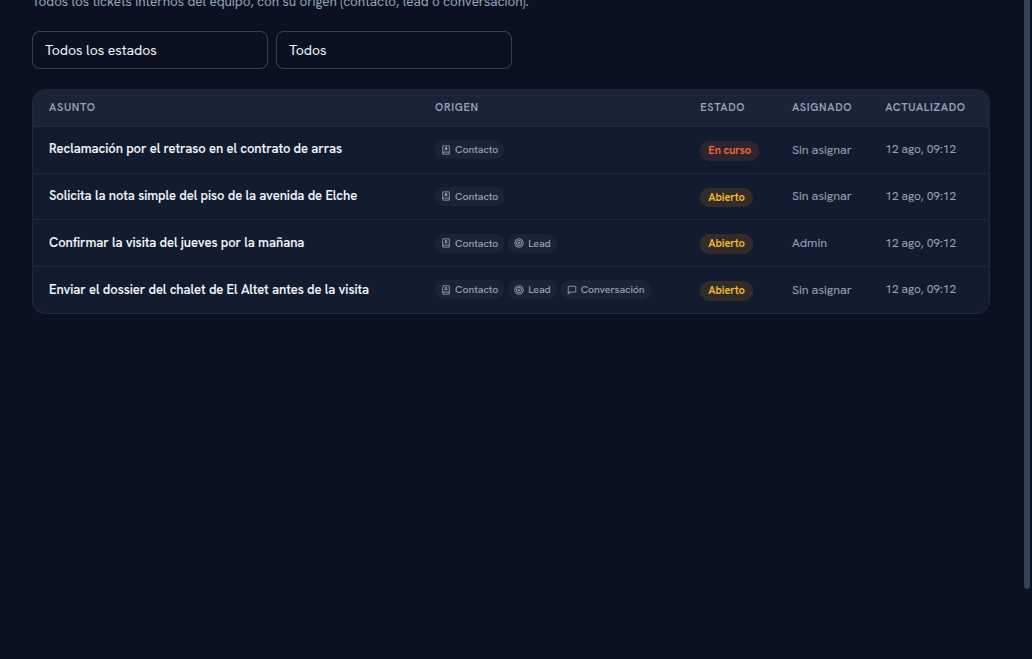
Every Source chip is clickable — it takes you straight to the contact, the lead or the conversation the ticket came from. -
Filter the table by status (Open, In progress, Closed) or by owner (Mine, Unassigned) to see just what you care about.
-
Open a ticket’s drawer to change its status, reassign it to another teammate, or add comments — commenting doesn’t reopen a Closed ticket, the status only changes if you change it.
-
The same lead or conversation can pile up several tickets over time: each pending task is its own ticket, even if they share the same origin.
What to configure
Section titled “What to configure”- Nothing beforehand is required: the screen works from the very first contact you have.
- Roles: managing tickets (create, change status, reassign, comment) is Admin and Editor territory; Viewers can only look.
Limits and honesty
Section titled “Limits and honesty”- An internal ticket never notifies the end customer — if you need to tell them something, do it from the conversation or the matching channel.
- There’s no limit on tickets per lead or contact: as many as you need pile up.
- If what you need is help from your provider (a platform bug, a billing question), this isn’t the right mechanism — use Support instead.
See also
Section titled “See also”- Tickets — statuses, the full lifecycle, and who can manage them.
- Leads — creating a ticket from a lead’s record.
- Conversations — creating a ticket from the inbox.
- Digital employee: jobs and flows — when follow-up can be automated instead of staying a manual task.