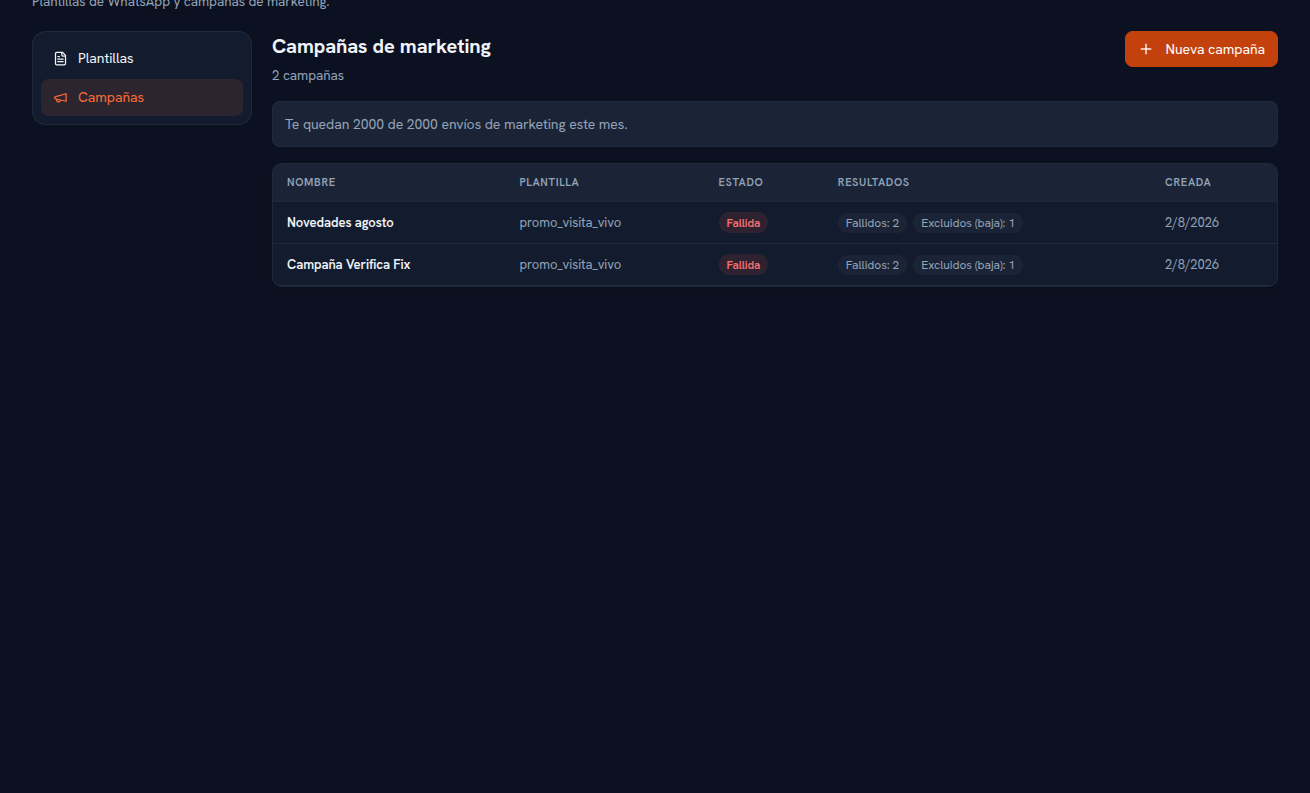
Once created, the campaign shows up in the table with its status and its live results — refresh the screen and you’ll see real progress, never a cached figure.
| Status | Meaning |
|---|---|
| Draft | Created, hasn’t started sending yet. |
| Sending | In progress. |
| Completed | Finished processing every recipient. |
| Failed | Ended with a problem that prevented sending (for example, the WhatsApp channel isn’t fully connected). |
Per-recipient results, which you see in the “Results” column, distinguish:
- Queued — not processed yet.
- Sent — already sent out to Meta.
- Delivered — confirmed by WhatsApp.
- Read — the recipient opened it.
- Failed — couldn’t be delivered.
- Excluded (unsubscribed) — the contact is unsubscribed from marketing (section 6).
- Excluded (limit) — ran out of quota because another campaign used up the month’s limit while this one was still sending.
No recipient is silently dropped: they all end up in one of these categories.