Requirements: administrator or editor role.
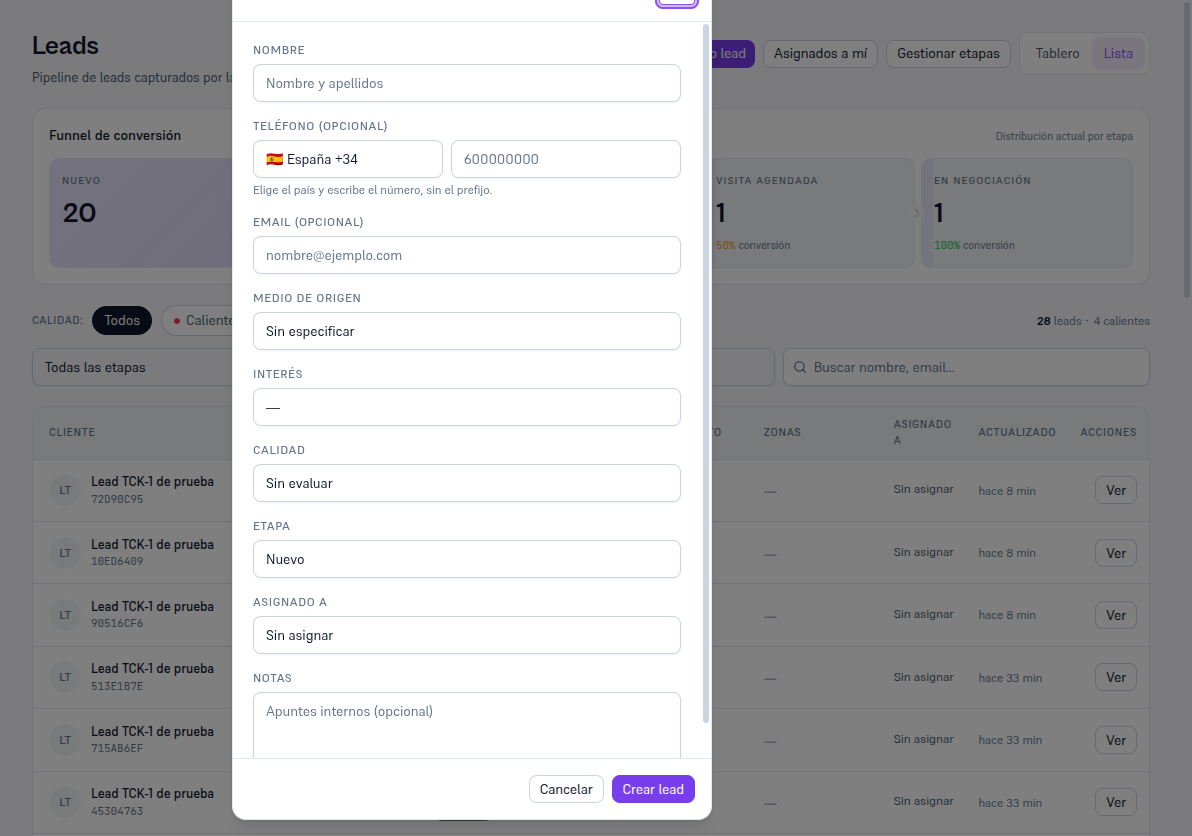
- Go into Leads and tap ”+ New lead”.
- Fill in the name (required) and, if you have them, the phone (optional: choose the country in the prefix dropdown — your agency’s country by default — and write the national number without the prefix) and the email.
- Choose the source: phone call, portal or ad, in person, referral or other. It will be visible on the record and on the board card.
- Adjust the interest, quality, funnel stage (the entry stage by default) and the owner if you want.
- Tap “Create lead”.
What the platform does for you:
- If the phone (or the email) matches an existing contact, the lead is automatically linked to that contact — without duplicating records.
- If there’s already an open lead with that phone, the form warns you in amber before creating it. It doesn’t block you: the same customer can generate several leads over time — you decide.