
Who this is for: any business whose customers write more than once, or through more than one channel — the agent remembers what was said before without you having to repeat it.
What the end customer sees
Section titled “What the end customer sees”Nothing special on screen: the agent simply responds as if it remembered the previous conversation, even if it was on WhatsApp last week and now they’re writing on the web widget. There’s no “remembering your conversation” notice — memory works in the background, always in favor of a more useful answer, never showing data the customer didn’t give you directly.
Steps in the product
Section titled “Steps in the product”-
Nothing to turn on. The agent keeps, for every contact, an automatic summary of what it knows about them — it updates itself after every conversation and is the same summary regardless of channel.
-
Configure how long it’s kept, under Settings → Memory: choose the retention — 90, 180, 365 or 730 days — and tap Save changes. Once a contact’s summary has gone more days without an update than the chosen value, it gets deleted on its own; the contact and their conversation history aren’t affected — only the summary is lost, and the agent starts building a new one on the next conversation.
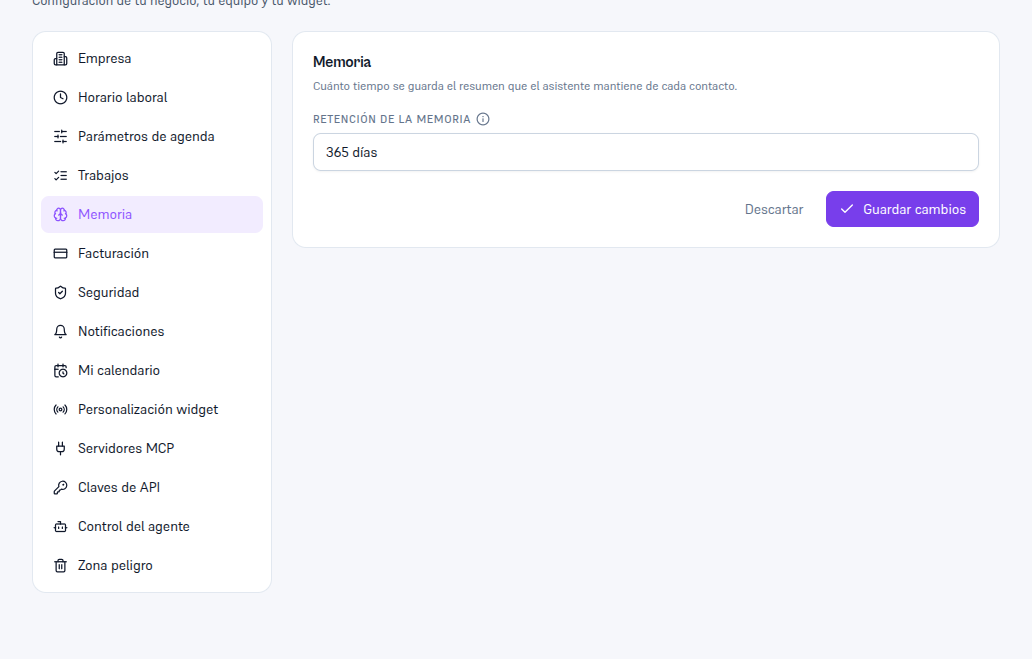
The only setting on this screen is how long the summary is kept — there's no toggle to turn memory off. -
Read, correct or delete one contact’s summary, on their own card: open the contact and scroll to the “Memory” section. If the assistant hasn’t saved anything yet, you’ll see the notice “The assistant hasn’t saved a summary for this contact yet” and a “Write memory” button to create one yourself.
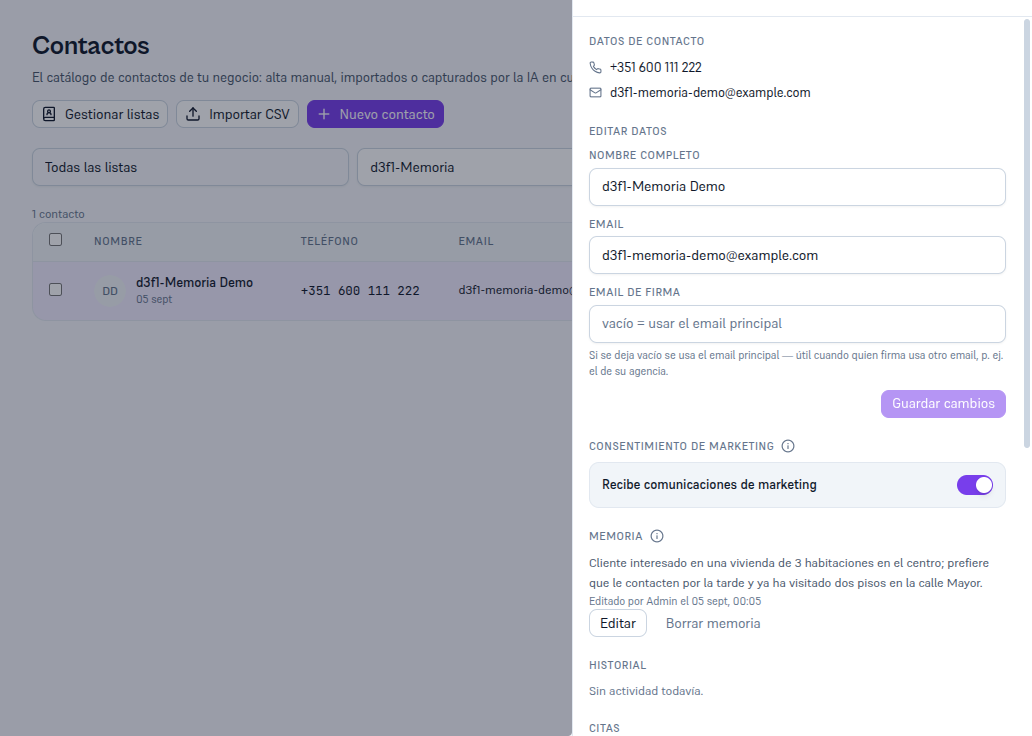
Below the summary you see who last updated it — the assistant automatically, or an operator if they touched it by hand. -
Delete one customer’s summary right now, if they ask for it or you want the agent to start fresh with them: tap “Delete memory” under the summary and confirm in the confirmation box. Only the summary is deleted — the contact, their conversations, leads and tickets stay intact.
What to configure
Section titled “What to configure”- Memory retention (Settings → Memory): 90, 180, 365 or 730 days — the only parameter for this feature.
- Nothing per contact: memory is always active for every contact in your business; there’s no way to opt one out except deleting their summary by hand when needed.
Limits and honesty
Section titled “Limits and honesty”- There’s no toggle to “turn off” memory — you can only choose how long each summary is kept. Memorizing is always active.
- Deleting memory isn’t the same as erasing a customer: “Delete memory” only removes the summary — the contact, their conversations, leads and tickets stay intact.
- Full erasure of a customer’s data (GDPR Article 17 right, the “Danger zone” at the bottom of their card) does delete memory along with everything else — you don’t need to delete it separately first.
- Editing or deleting memory requires the Admin or Editor role; reading it is available to any role with access to the contact’s card.
See also
Section titled “See also”- Settings and integrations — everything else configured in Settings.
- Contacts and marketing — the full contact card, including the Danger zone (GDPR erasure).
- Customer support with a knowledge base — another case where the agent uses its own information to answer better.