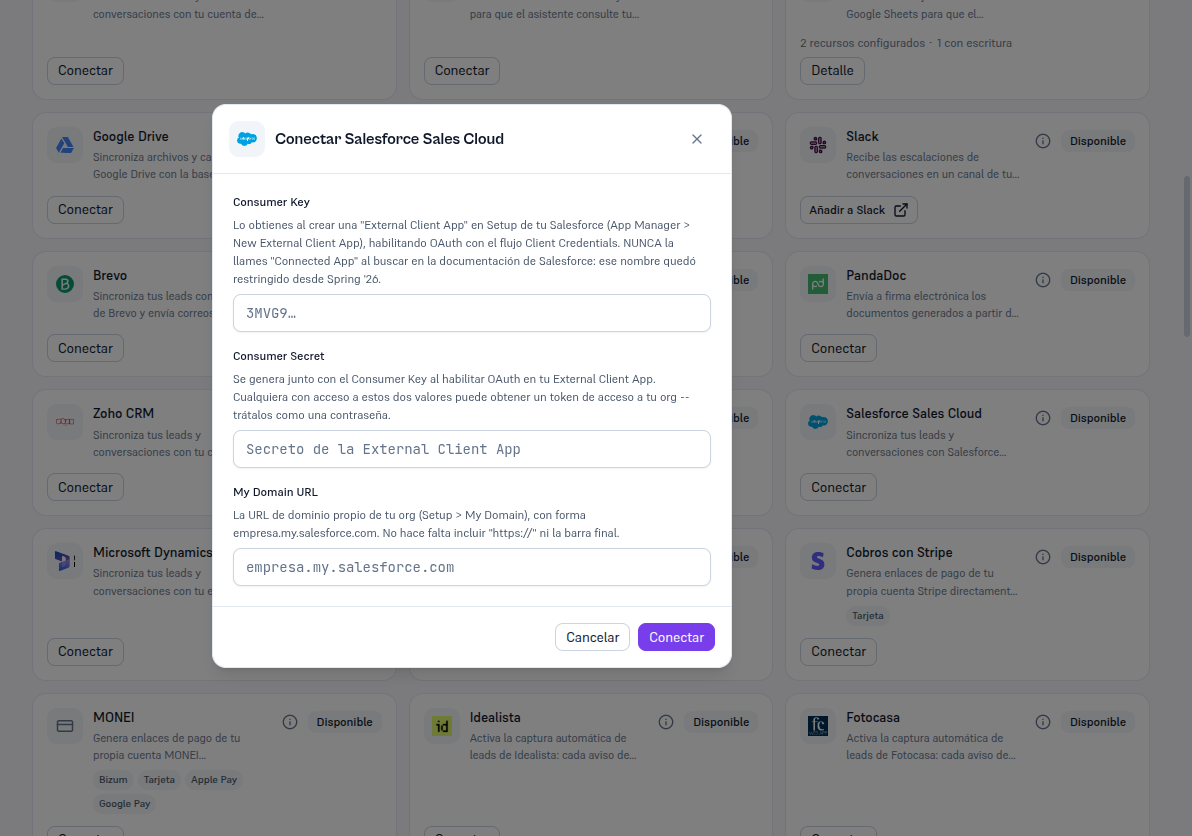
Requirements: Admin role; the three values from section 3 (Consumer Key, Consumer Secret and My Domain URL).
- In Integrations, find the Salesforce Sales Cloud card (in “Available” status) and press Connect.
- Fill in the three fields: Consumer Key, Consumer Secret and My Domain URL (no “https://” or trailing slash — just
empresa.my.salesforce.com). - Press Connect.
Result: the Platform verifies the credentials against Salesforce for real before saving anything. If verification fails, you’re told the specific error (section 8) and no credential is saved. If it succeeds, the card switches to Connected.