Requirements: Admin role; the HubSpot token from section 3.
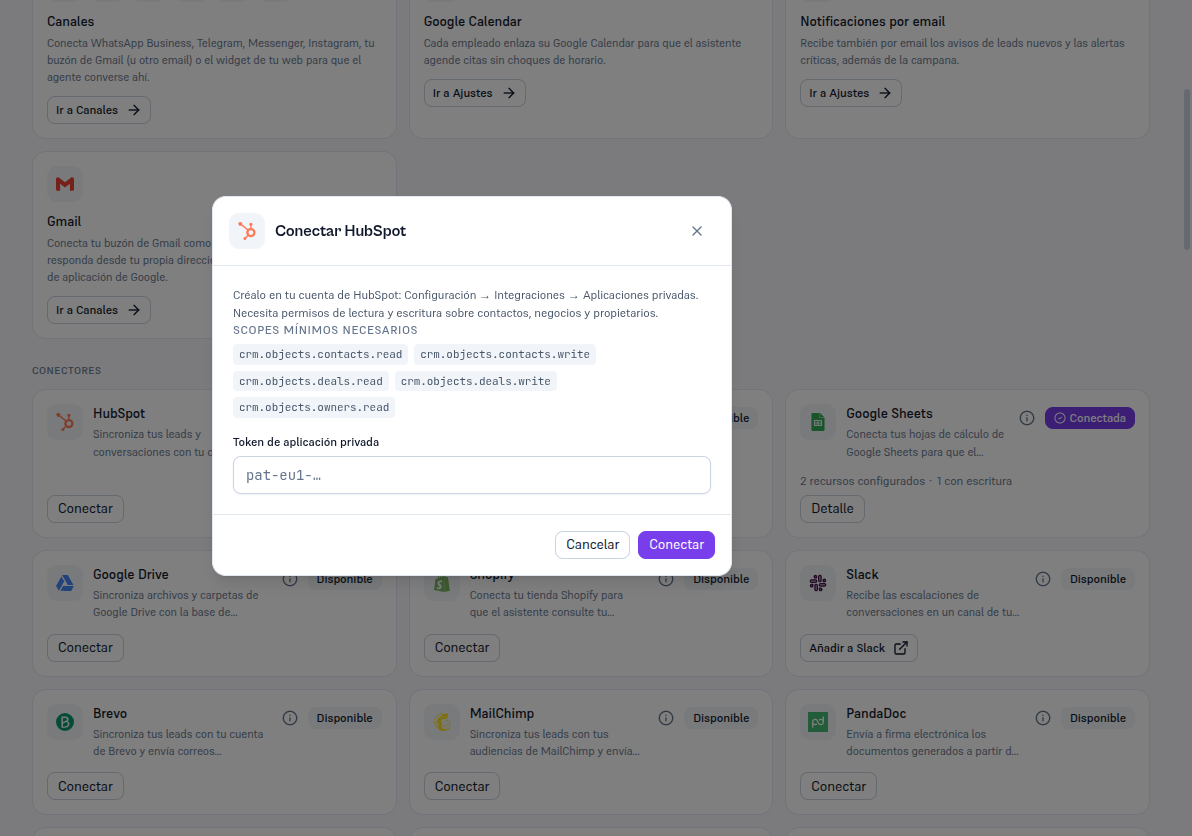
- In Integrations, find the HubSpot card (in “Available” status) and press Connect.
- The “Connect HubSpot” modal repeats the help text and the five scopes above, so you have them handy without going back to HubSpot.
- Paste the private app token into the field.
- Press Connect.
Result: the Platform verifies the token against HubSpot for real before saving anything — it doesn’t accept a token that merely looks valid. If verification fails, you’re told the specific error (section 8) and no credential is saved. If it succeeds, the card switches to Connected.